Bilinear Interpolationについてメモってみた
- あくまでメモの用途で書いたものですので、間違った部分があるかもしれません。
Bilinear Interpolationとは
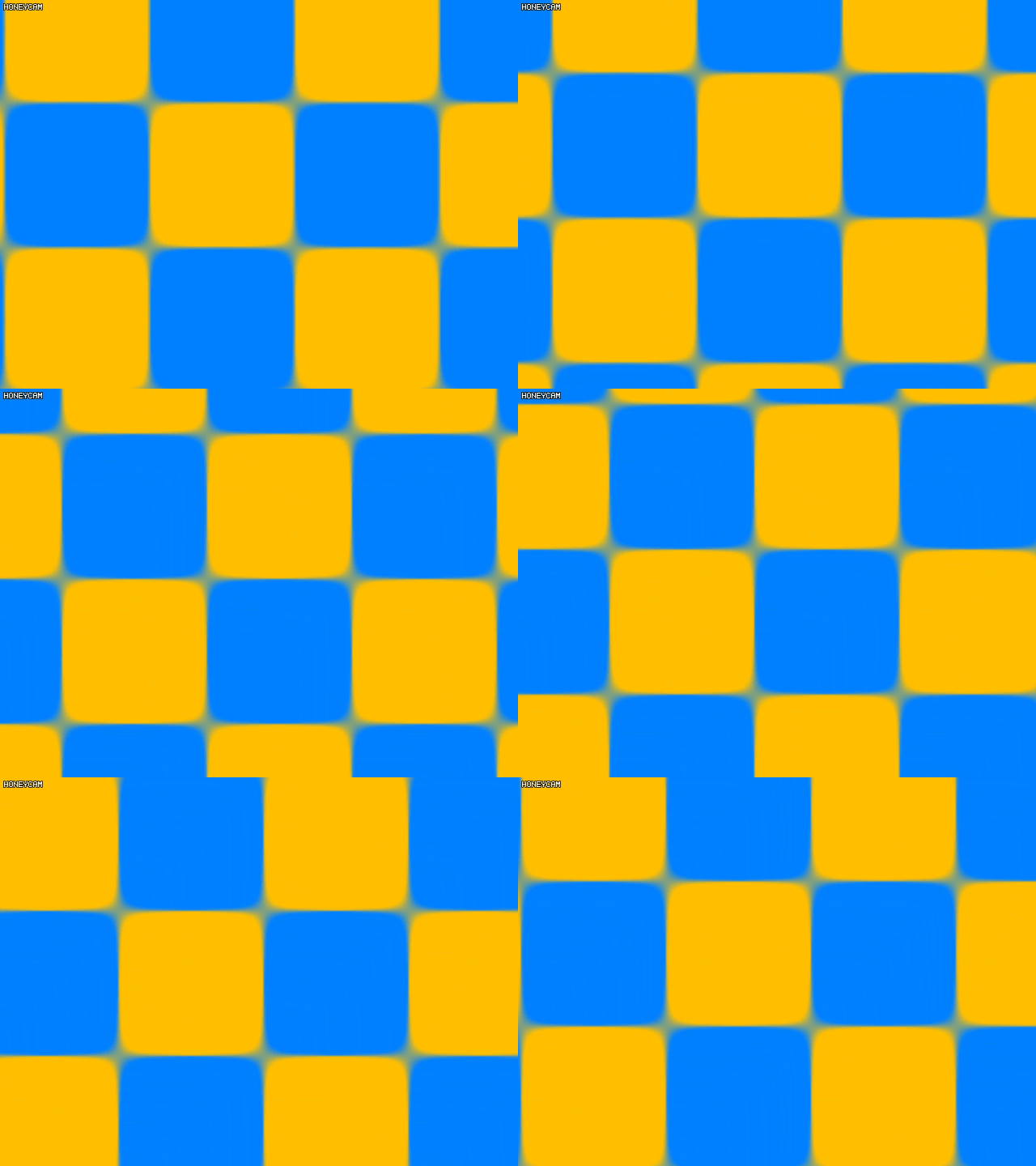
- 二重線形補間(Bilinear Interpolation)は、XとYとなる2次元で投影できる値を、2次元的に線形補間する方法である。
- 基本的なやり方は、線形補間と同じく一つの方向で線形補間をし、そしてまた一つの方向へ線形補間をする。こうやって補間した値が得られる。
- ただし、二重線形補間は2つの線形補間を掛け算することによって、実際には得られる値は線形ではないらしい。
- この二重線形補間はテクスチャマッピングをする時によく使われる。
GLSLで実践コード
in VertexData
{
    vec4 v_position;
    vec3 v_normal;
    vec2 v_texcoord;
} inData;
out vec4 fragColor;

vec3 checkboard[] = vec3[4]
(
    vec3(0), vec3(1),
    vec3(1), vec3(0)
);

void mainImage(in vec2 fragCoord)
{
    vec2 puv = mod(fragCoord, 2.);
    vec2 uv = puv - floor(puv);

    ivec2 xlyb = ivec2(floor(puv));
    ivec2 xryt = ivec2(0);
    if (xlyb.x != 1) { xryt.x = xlyb.x + 1; }
    if (xlyb.y != 1) { xryt.y = xlyb.y + 1; }

    ivec2 xryb = ivec2(xryt.x, xlyb.y);
    ivec2 xlyt = ivec2(xlyb.x, xryt.y);

    const float t = 0.5;
    const float e = 1e-2;
    vec3 color =
        (1.0-uv.x) * (1.0-uv.y) * checkboard[xlyb.y * 2 + xlyb.x] +
        uv.x * (1.0-uv.y) * checkboard[xryb.y * 2 + xryb.x] +
        (1.0-uv.x) * uv.y * checkboard[xlyt.y * 2 + xlyt.x] +
        uv.x * uv.y * checkboard[xryt.y * 2 + xryt.x];
    color = smoothstep(t - e, t + e, color);

    fragColor = vec4(mix(vec3(0, 0.5, 1), vec3(1, 0.75, 0), color), 1.0);
}

void main(void)
{
    vec2 uv = (resolution * inData.v_texcoord) / 64 - time / 4;
    mainImage(uv);
}
結果
Archived・Screen-Door Transparencyのメモ(KOR)
- このメモは2018年6月24日に作成されたのを移転したものです。
- 日本語ではなく、韓国語で作成したものですので、読みたい方は翻訳機能をお使いください。
- 間違った部分があるかもしれません。
Screen-door Transparency technique 란?
전체 코드
precision highp float;
uniform float time;
uniform vec2 resolution;
varying vec3 fPosition;
varying vec3 fNormal;

#define M_PI 3.1415926535
#define M_PI8 (M_PI * 8.0)

mat4 threshold_matrix = mat4(
1.0 / 17.0,  9.0 / 17.0,  3.0 / 17.0, 11.0 / 17.0,
13.0 / 17.0,  5.0 / 17.0, 15.0 / 17.0,  7.0 / 17.0,
4.0 / 17.0, 12.0 / 17.0,  2.0 / 17.0, 10.0 / 17.0,
16.0 / 17.0,  8.0 / 17.0, 14.0 / 17.0,  6.0 / 17.0
);

// View space...
float light_intensity = 1.5;
vec3 light_irradiance = vec3(1, 1, 1) * light_intensity;
vec3 light_vector = -normalize(vec3(0, -1, -1));
vec3 model_diffuse = vec3(1, 1, 1);
vec3 model_specular = vec3(1, 1, 1);
float model_smoothness = 10.0;

struct DLight {
  float light_intensity;
  vec3 light_diffuse;
  vec3 light_vector;
} lights[1];

void init() {
  lights[0] = DLight(1.0, vec3(1, 1, 1) , -normalize(vec3(0, -1, -0.25)));
}

vec3 get_radiance_color() {
  vec3 view_vector = normalize(-fPosition);
  vec3 k_s = (model_smoothness + 8.0) / M_PI8 * model_specular;
  vec3 k_d = model_diffuse / M_PI;

  vec3 color = vec3(0);
  for (int i = 0; i < 1; i++) {
    vec3 half_vector = normalize(lights[i].light_vector + view_vector);
    float cos_half_spec = max(0.0, dot(half_vector, fNormal));
    float cos_norm_diff = max(0.0, dot(lights[i].light_vector, fNormal));

    color += (k_d + k_s * cos_half_spec) * cos_norm_diff *
        (lights[i].light_diffuse  * lights[i].light_intensity);
  }

  return color;
}

void process_screen_door_transparency_discard(float alpha) {
  int x = int(mod(gl_FragCoord.x, 4.0));
  int y = int(mod(gl_FragCoord.y, 4.0));

  if (x == 0) {
    if (y == 0) {
      if (alpha - threshold_matrix[0][0] < 0.0) { discard; }
    }
    else if (y == 1) {
      if (alpha - threshold_matrix[1][0] < 0.0) { discard; }
    }
    else if (y == 2) {
      if (alpha - threshold_matrix[2][0] < 0.0) { discard; }
    }
    else {
      if (alpha - threshold_matrix[3][0] < 0.0) { discard; }
    }
  }
  else if (x == 1) {
    if (y == 0) {
      if (alpha - threshold_matrix[0][1] < 0.0) { discard; }
    }
    else if (y == 1) {
      if (alpha - threshold_matrix[1][1] < 0.0) { discard; }
    }
    else if (y == 2) {
      if (alpha - threshold_matrix[2][1] < 0.0) { discard; }
    }
    else {
      if (alpha - threshold_matrix[3][1] < 0.0) { discard; }
    }
  }
  else if (x == 2) {
    if (y == 0) {
      if (alpha - threshold_matrix[0][2] < 0.0) { discard; }
    }
    else if (y == 1) {
      if (alpha - threshold_matrix[1][2] < 0.0) { discard; }
    }
    else if (y == 2) {
      if (alpha - threshold_matrix[2][2] < 0.0) { discard; }
    }
    else {
      if (alpha - threshold_matrix[3][2] < 0.0) { discard; }
    }
  }
  else {
    if (y == 0) {
      if (alpha - threshold_matrix[0][3] < 0.0) { discard; }
    }
    else if (y == 1) {
      if (alpha - threshold_matrix[1][3] < 0.0) { discard; }
    }
    else if (y == 2) {
      if (alpha - threshold_matrix[2][3] < 0.0) { discard; }
    }
    else {
      if (alpha - threshold_matrix[3][3] < 0.0) { discard; }
    }
  }
}

void main()
{
  init();

  float alpha = (sin(time * 40.0) + 1.0) / 2.0;
  process_screen_door_transparency_discard(alpha);

  vec3 color = get_radiance_color();
  gl_FragColor = vec4(color, 1.0);
}
결과
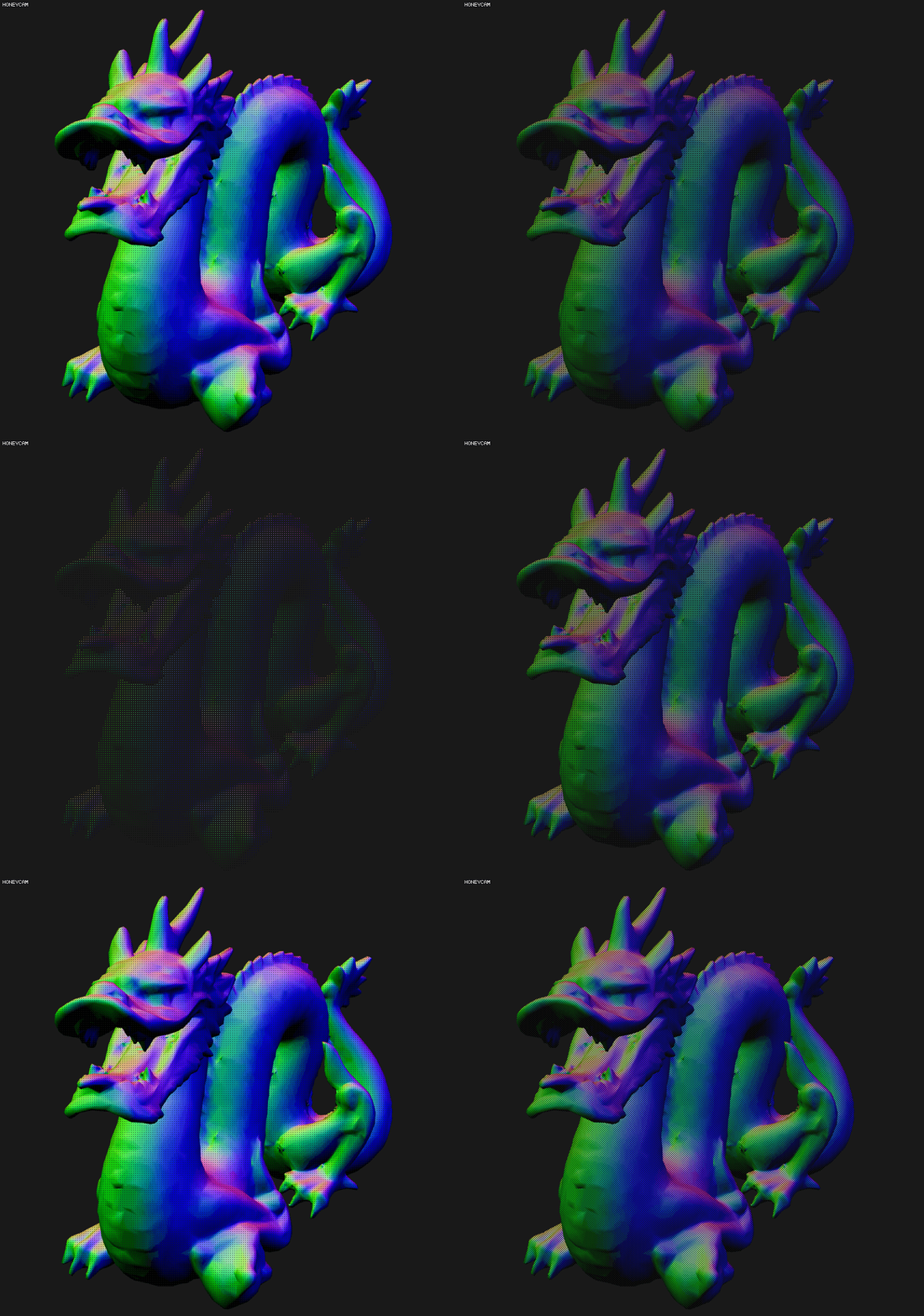
체크무늬로 반투명 처리가 됨을 확인할 수 있다.
Archived・ReverseOOPのメモ(KOR)
- このメモは2018年6月23日に作成されたのを移転したものです。
- 日本語ではなく、韓国語で作成したものですので、読みたい方は翻訳機能をお使いください。
- 間違った部分があるかもしれません。
Reverse OOP?
Pope Kim님의 최신 영상을 보던 중에 꽤 흥미가 가는 설계 패턴이 있어서 한번 쭉 보게 되었다. 이 패턴은 다형성을 좀 특이하게 구현해서 런타임에 불필요한 코드를 만드는 것을 막는다. 흔히 동적 다형성을 구현한다고 하면 모든 자식 클래스들의 행동을 공유하는 베이스 클래스가 있고, 그 베이스 클래스를 자식 클래스들이 public 과 같은 접근 지정자로 상속을 해서 구현한다.
하지만 Reverse OOP 에서는 런타임에서 여러 클래스 중 하나만 쓰되, 코드상으로는 다형성을 구현할 수 있도록 한다는 것이다. 어떻게 보면 정적 다형성이라고도 할 수 있겠다. 왜냐면 다형성이 컴파일 타임에 이뤄지기 때문이다. 엄밀하게 말하면 전처리(preprocessing) 시간에 해당 클래스의 다형성 설계를 끝장내버리는 C++ 만의 괴랄한 방법이기도 한 것 같다...
되는대로 구현
- 가장 기본이 되는 베이스 클래스를 구현한다.
- 베이스 클래스에 대해 선언을 한 후,
virtual을 대신할 함수의 정의를 각 자식 클래스에 대해 따로따로.cpp파일에서 구현한다. - 역(reverse)자식 클래스가 되는 클래스들을 구현한다. 여기서 데이터들은
protected접근 지정자를 가지도록 한다. - 이제 베이스 클래스를 역자식 클래스의 자식이 되도록 역(reverse)상속을 한다. 다만 전처리 매크로를 활용해서 매크로가 활성화된 자식 클래스에 대해서만 상속을 받게끔 한다.
- 전처리 매크로인
#define#ifdef#else if#endif을 적극적으로 활용해서 전처리 타임 다형성을 구현한다. - 베이스 클래스의 자식 클래스에 의존성을 가지는 함수 코드에서
protected로 지정된 역자식 클래스의 데이터에 접근을 할 수 있게 된다.
다음은 예제 코드다. 여기서는 한 파일에만 구현을 했기 때문에 자식 클래스와 의존성을 가지는 Draw() 함수는 아주 간단하게만 구현했다.
#include <iostream>

///
/// Platform specific implementation
///

// #define MACRO_RENDER_PC
// #define MACRO_RENDER_SWITCH
#define MACRO_RENDER_XBOX
// #define MACRO_RENDER_PS4

class RendererPc {
public:
    RendererPc() { std::cout << "RendererPc()""\n"; }
    virtual ~RendererPc() { std::cout << "~RendererPc()""\n"; }

protected:
    const int32_t i = 0x0001;
};

class RendererSwitch {
public:
    RendererSwitch() { std::cout << "RendererSwitch()""\n"; }
    virtual ~RendererSwitch() { std::cout << "~RendererSwitch()""\n"; }

protected:
    const int32_t i = 0x0010;
};

class RendererXbox {
public:
    RendererXbox() { std::cout << "RendererXbox()""\n"; }
    virtual ~RendererXbox() { std::cout << "~RendererXbox()""\n"; }

protected:
    const int32_t i = 0x0100;
};

class RendererPs4 {
public:
    RendererPs4() { std::cout << "RendererPs4()""\n"; }
    virtual ~RendererPs4() { std::cout << "~RendererPs4()""\n"; }

protected:
    const int32_t i = 0x1000;
};

///
/// RenderCommon implementation.
///

#if defined(MACRO_RENDER_PC)
    #define MACRO_RENDERER_SUPER RendererPc
#elif defined(MACRO_RENDER_SWITCH)
    #define MACRO_RENDERER_SUPER RendererSwitch
#elif defined(MACRO_RENDER_XBOX)
    #define MACRO_RENDERER_SUPER RendererXbox
#elif defined(MACRO_RENDER_PS4)
    #define MACRO_RENDERER_SUPER RendererPs4
#endif

class RendererCommon final : public MACRO_RENDERER_SUPER {
public:
    RendererCommon() : MACRO_RENDERER_SUPER() {};
    ~RendererCommon() = default;

    int32_t Draw() noexcept {
        return i;
    }
};

int main() {
    RendererCommon instance{};
    return instance.Draw();
}
이렇게 하면 #define 을 껐다 키는 것만으로 플랫폼 혹은 다른 정적 다형성이 필요한 부분에서 컴파일 타임에 다른 행동을 할 수 있도록 한다. 일반 동적 다형성으로 구현되는 모델에서는 vtable 을 통해서 간접 참조를 2번 이상 해야하기 때문에 성능 면에서도 우위를 가진다.
std::variant 로 그냥 써버리면 안되나?
C++17 부터 추가된 std::variant 는 템플릿 흑마술을 써서 컴파일 타임 정적 다형성을 구현하게 한 cpp 에 맞게 구현된 유니언 타입이다. 한 프로그램에 여러 개의 정적 타입이 들어가게 되면 이걸 써도 되기야 하겠지만, 지금은 오로지 #define 을 써서 한번에 한 가지 프로시져를 쓰려고 하고 있기 때문에 필요는 없을 것 같다.
CMakeでは?
CMakeとOptionで条件分岐を使い、コードドメインではなくてもReverseOOPを実装させることもできるだろう。

最近はゼノブレイド2本編をやってました。
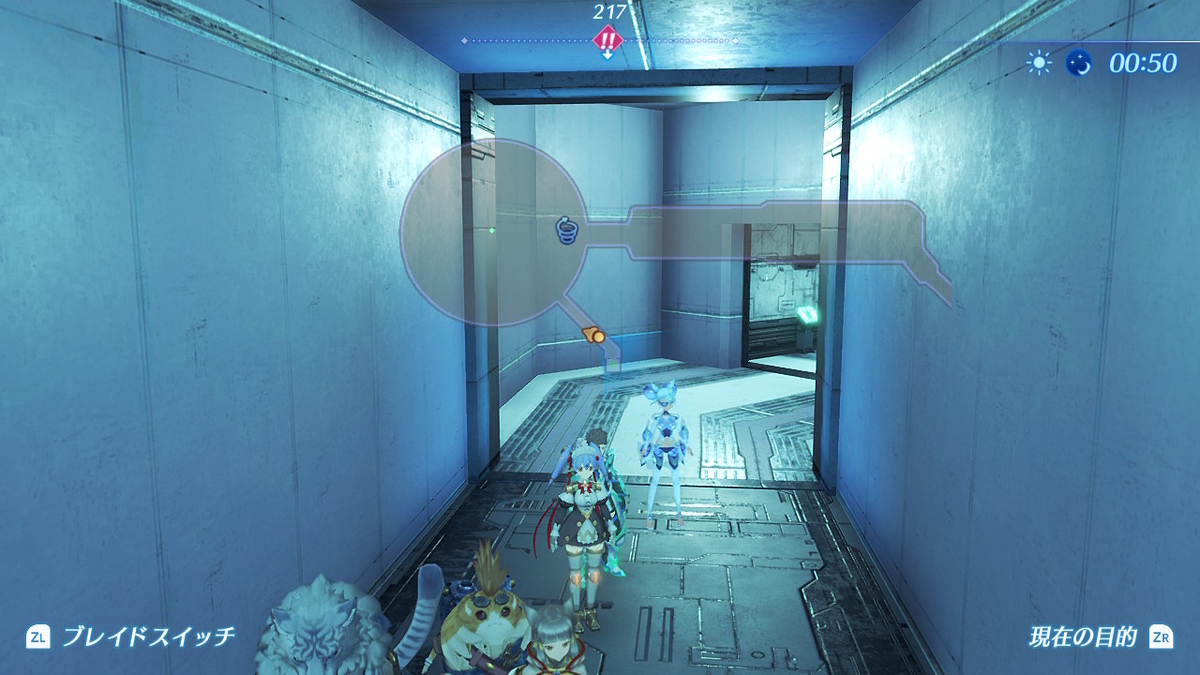
ラスボスを目前として、ちょっと寄り道でやり込みをやってからエンディングを見ようとしてます。ゼノブレイド2自体は1年前に買いましたが何度もエンディングを見ようと何回もプレイ、そして途中で詰んだり時間がないとう理由でやめました。けど今回はやっとエンディングが見れそうで嬉しいですね。
続きを読む